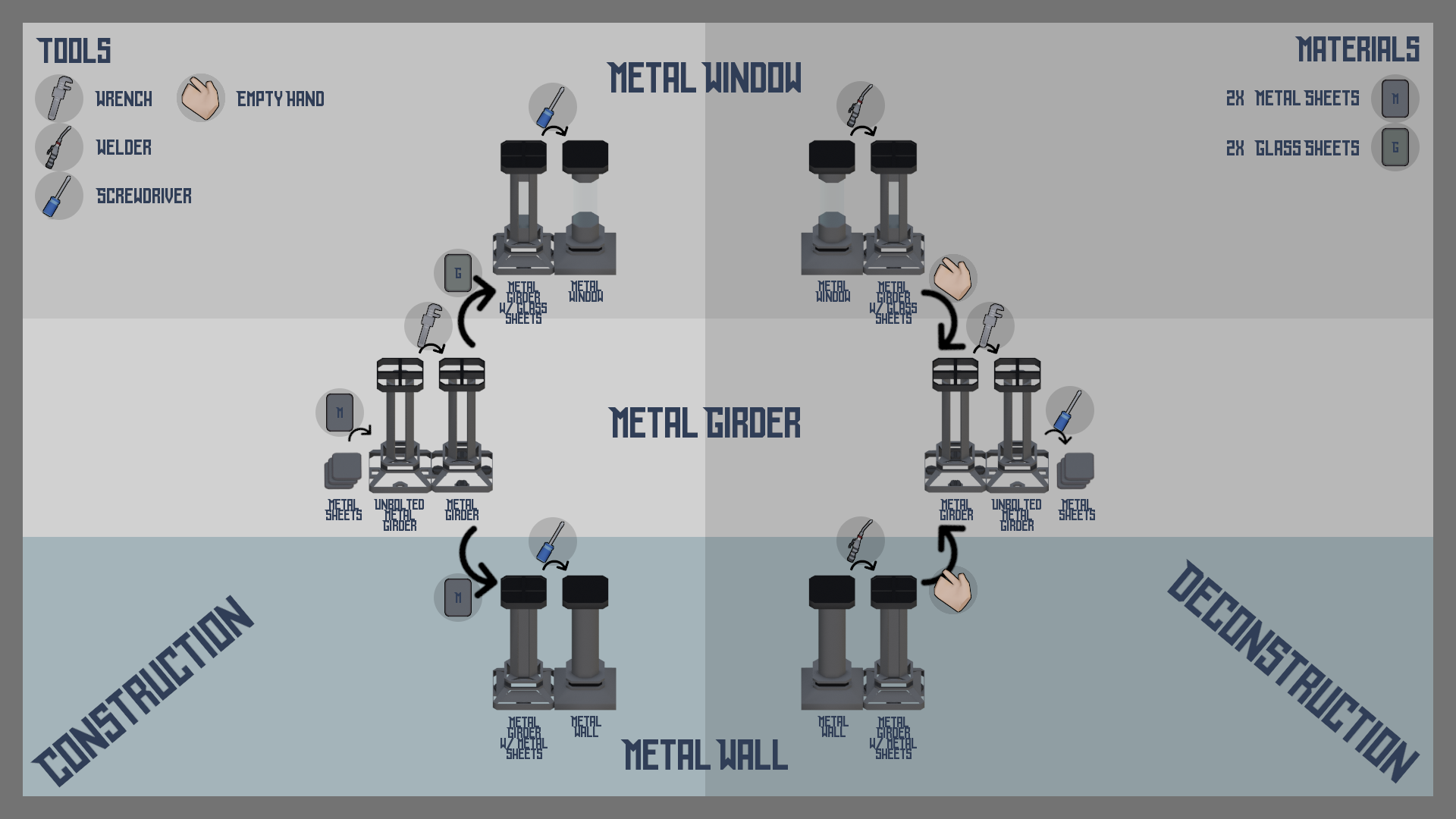
Example recipe for walls & windows.
 *The construction process for walls/windows may vary depending on their type. And these current recipes may not be final.*
In any case, the wall starts with a metal wall girder. It's like a frame for a wall to be filled with metal or glass to be completed. It can be made on a spot, if player character has metal rods or what have they in one hand and a tool for connecting them in the other. Applying a tool to the materials (dictated by the [crafting](/design/actions/crafting.md) recipe or a choice in the opened menu for building) results in creating a physical, always upright metal girder in front of the player.
It can be dragged or pushed to be relocated to a different location. It is even [connectable](/design/environment/connectables.md), meaning it can attach to nearby objects of the same type (other walls). In order to be connected to the other walls, it needs to be bolted to a tile, adjacent to the other object of the same type. Player just needs to drag the girder to the nearest wall, place it near the center of the needed tile and bolt it using a wrench.
From that point onward it can be upgraded to an actual wall or window. This is recommended because a girder isn't pressurized and wont hold in your atmosphere, or stop fire from spreading, etc.
*The construction process for walls/windows may vary depending on their type. And these current recipes may not be final.*
In any case, the wall starts with a metal wall girder. It's like a frame for a wall to be filled with metal or glass to be completed. It can be made on a spot, if player character has metal rods or what have they in one hand and a tool for connecting them in the other. Applying a tool to the materials (dictated by the [crafting](/design/actions/crafting.md) recipe or a choice in the opened menu for building) results in creating a physical, always upright metal girder in front of the player.
It can be dragged or pushed to be relocated to a different location. It is even [connectable](/design/environment/connectables.md), meaning it can attach to nearby objects of the same type (other walls). In order to be connected to the other walls, it needs to be bolted to a tile, adjacent to the other object of the same type. Player just needs to drag the girder to the nearest wall, place it near the center of the needed tile and bolt it using a wrench.
From that point onward it can be upgraded to an actual wall or window. This is recommended because a girder isn't pressurized and wont hold in your atmosphere, or stop fire from spreading, etc.
Example recipe for walls & windows.
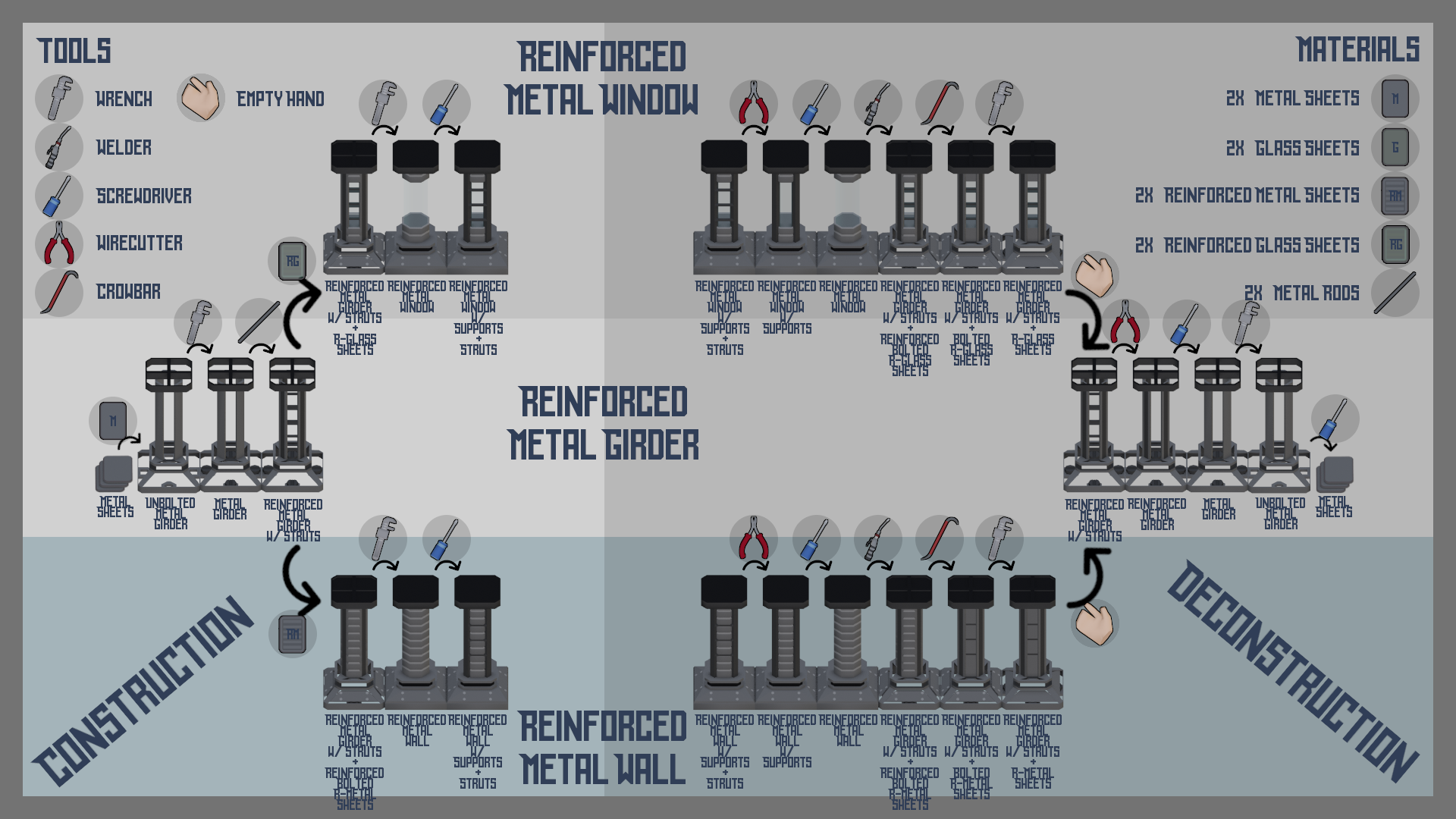
Example recipe for reinforced walls & windows.